
Groovy Server Pages (GSP) Guide: Grails 7 Updates for 2026
If you have ever built a web application with the Grails framework, you have already used Groovy server pages, even if you did not know exactly what was happening under the hood. In May 2026, GSP is more relevant than ever after Apache Grails 7.0.0 landed in October 2025 with major updates to the entire stack.
This guide gives you everything you need: what Groovy Server Pages are, how they work, what changed in Grails 7, how to avoid the most common mistakes, and exactly how GSP compares to modern alternatives.
Groovy server pages (GSP) are the view layer technology in the Grails web framework. They let you mix HTML markup with Groovy code to generate dynamic web content on the server before sending it to the browser. If you know JSP, GSP will feel familiar but far cleaner to write. If you are new to server-side templating entirely, this guide will walk you from the very first line of code to production-ready best practices.
What Are Groovy Server Pages?
Groovy server pages are server-side template files used in the Grails framework to build the view layer of a web application. A GSP file ends in the .gsp extension and lives inside the grails-app/views directory of any Grails project. When a user visits a URL, the matching controller runs, builds a model (a map of data), and passes it to the GSP file. The GSP then mixes that data with your HTML to produce the final page sent to the browser.
The key idea is server-side rendering: the HTML the user sees is generated on the server before it ever travels over the network. No JavaScript framework needed for the view logic. No client-side rendering delays. The page arrives complete.
The Origin of GSP
Groovy server pages trace back to 2005, when Graeme Rocher, Guillaume LaForge, Steven Devijver, and Dierk König co-founded G2One and built the Grails framework. Originally named Groovy on Rails, Grails was designed to bring the productivity of Ruby on Rails to the Java Virtual Machine. GSP was its view technology from the beginning, inspired by JavaServer Pages (JSP) but designed to feel lighter and more expressive thanks to Groovy’s dynamic language features.
Over two decades, Grails passed through SpringSource, Pivotal, Object Computing (OCI), and the Grails Foundation before the Apache Software Foundation (ASF) accepted it in 2025. The ASF officially announced Apache Grails 7.0.0 on October 28, 2025, the first stable release under ASF stewardship and the most significant update to the framework in years.
What Changed for GSP in Grails 7
Apache Grails 7.0.0, released in October 2025, brought major structural changes. According to the official ASF announcement, Grails 7 upgraded its core dependencies to Groovy 4, Spring Boot 3.5, Spring Framework 6.2, and Jakarta EE 10. The GSP project was merged into the Grails core mono-repo as part of a large consolidation effort that reduced around 100 Git repositories down to 18 active ones.
One important note for developers using GSP in 2026: the old grails-gsp GitHub repository now points to the grails-views module inside the core mono-repo. Version 6.2.3, released January 2025, was the last pre-ASF release of the standalone GSP plugin. All current development happens inside the Apache Grails core project.
How Groovy Server Pages Work Inside Grails
Understanding how GSP fits into the Grails MVC pattern is the fastest way to start using it correctly. Grails follows the Model-View-Controller (MVC) architecture. The controller handles the request and prepares the data. The model carries that data. The groovy server page is the View: it takes the model and renders it into HTML.
The Request-to-Render Flow
Here is exactly what happens when a user visits a Grails page that uses GSP:
- The browser sends a request to a URL, such as /book/list.
- Grails routes that request to the list() action in the BookController.
- The controller queries the database through GORM (Grails Object Relational Mapping), the built-in persistence layer.
- The controller returns a model map, for example [books: Book.list()].
- Grails automatically looks for grails-app/views/book/list.gsp.
- GSP renders the HTML by merging the model data with the template markup.
- The finished HTML page goes back to the browser.
This is convention over configuration in action. You do not have to tell Grails which view to use if the file name matches the controller action name. It finds it automatically.
Where GSP Files Live
All groovy server pages live under grails-app/views. Each controller gets its own subdirectory. A template called _item.gsp (note the leading underscore) is a partial view, used inside other GSPs through the g:render tag. A file called main.gsp inside grails-app/views/layouts is the master layout that wraps all pages through SiteMesh.
GSP Syntax: The Four Building Blocks
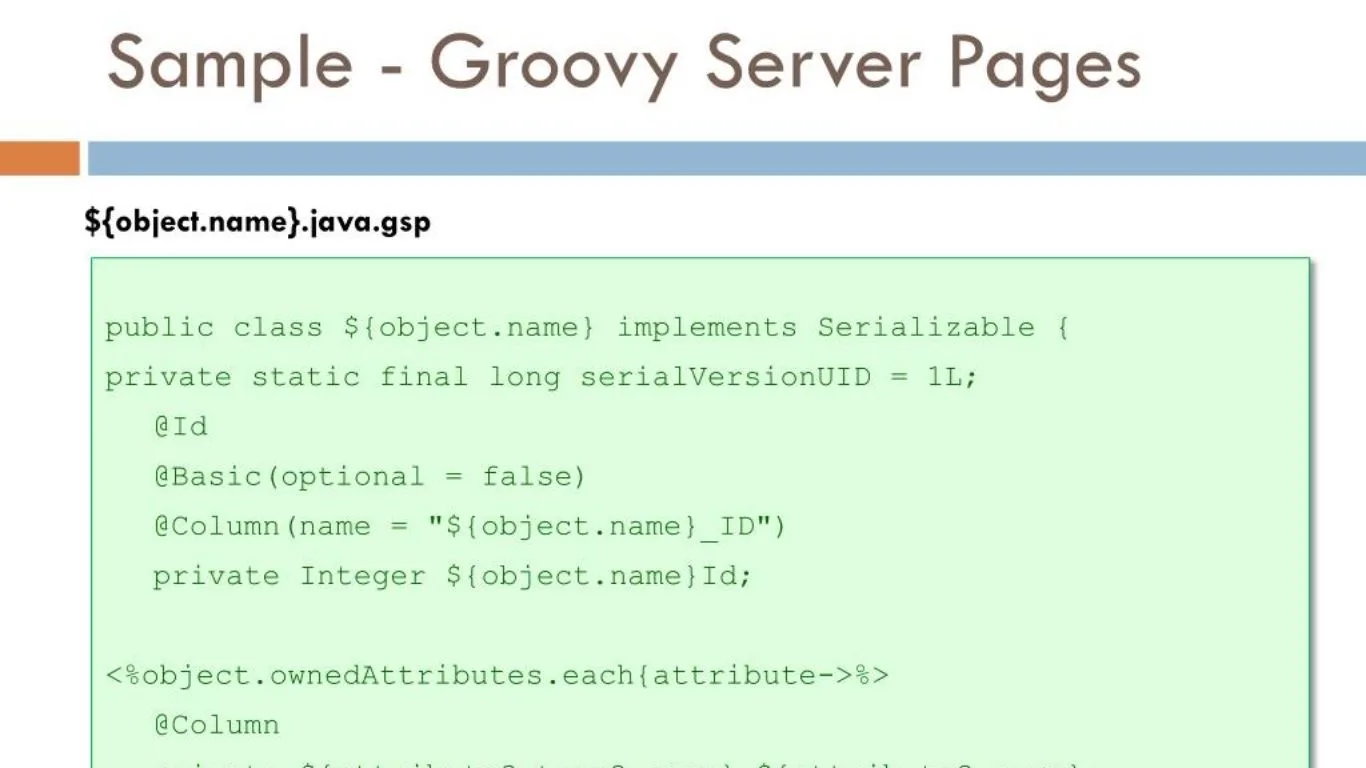
Every groovy server page is built from four types of content. You need to understand all four before you write your first real template.
Expressions: ${…}
This is the most common syntax. Any Groovy expression goes inside ${}, and the result is printed directly into the HTML output.
gsp
<p>Welcome, ${user.name}!</p>
<p>Today is: ${new Date()}</p>
<p>Total items: ${items.size()}</p>
By default, GSP HTML-encodes all expression output. That means if user.name contains <script>, it will appear as literal text in the browser, not execute as code. This is the primary defense against Cross-Site Scripting (XSS) attacks, and it is on by default in all modern Grails versions.
Scriptlets: <% %>
Scriptlets let you embed raw Groovy code blocks directly in a template.
gsp
<% def greeting = user.admin ? “Admin” : “User” %>
<p>${greeting}</p>
The official Grails documentation strongly discourages scriptlets. They mix logic with presentation and make templates harder to test and maintain. Use GSP tags or custom tag libraries instead. Scriptlets are available, but treating them as a last resort is a best practice that senior Grails developers all agree on.
Output Scriptlets: <%= %>
Output scriptlets print a value directly without needing to wrap it in ${}.
gsp
<%= “Hello from an output scriptlet” %>
The same discouragement applies. Use expression syntax ${} instead.
GSP Comments: <%– –%>
Server-side comments in GSP use this syntax. They are stripped at compile time and never sent to the browser, unlike HTML comments (<!– –>), which are visible in the page source.
gsp
<%– This comment never reaches the client –%>
<!– This comment does reach the client –>
Core GSP Tags: The g: Namespace
All built-in Grails tags use the g: prefix and require no import statements. They compile to efficient Groovy code and are tested as part of the framework itself. These are the tags you will use most often.
Conditionals and Loops
The g:if, g:elseif, and g:else tags handle conditional rendering. The g:each tag iterates over any collection.
gsp
<g:if test=”${user.admin}”>
<p>Admin panel visible</p>
</g:if>
<g:else>
<p>Standard view</p>
</g:else>
<g:each in=”${books}” var=”book”>
<p>${book.title} by ${book.author}</p>
</g:each>
These tags keep logic out of scriptlets and inside a clean, readable structure.
Links and URLs
The g:link tag generates URLs based on controller and action names, not hard-coded paths. When a URL mapping changes, every g:link pointing to that action updates automatically.
gsp
<g:link controller=”book” action=”list”>View All Books</g:link>
<g:link controller=”book” action=”show” id=”${book.id}”>View This Book</g:link>
Form Tags
Grails includes a full set of form tags that work with controller actions, bind to domain objects, and handle error display automatically.
gsp
<g:form controller=”book” action=”save”>
<g:textField name=”title” value=”${book.title}”/>
<g:select name=”genre” from=”${genres}” value=”${book.genre}”/>
<g:submitButton name=”save” value=”Save Book”/>
</g:form>
Pagination
The g:paginate tag generates full next/previous navigation. It was updated in Grails 7 to include Bootstrap 5 support out of the box, which removes the need for custom CSS workarounds that many Grails 6 projects relied on.
gsp
<g:paginate controller=”book” action=”list” total=”${bookCount}”/>
Templates and Layouts in Groovy Server Pages
Two features separate beginner GSP code from production-quality GSP code: partial templates and SiteMesh layouts.
Partial Templates with g:render
Any GSP file prefixed with an underscore is a template, a reusable fragment. You call it with g:render and pass a model map.
gsp
<%– In list.gsp –%>
<g:each in=”${books}” var=”book”>
<g:render template=”bookRow” model=”[book: book]”/>
</g:each>
<%– In _bookRow.gsp –%>
<tr>
<td>${book.title}</td>
<td>${book.author}</td>
</tr>
This keeps complex views clean. Think of a developer at a publishing company in Lahore building an internal book catalog system. She breaks the page into a header template, a search bar template, and a results row template. Each file stays under 50 lines. Any one template can be updated without touching the others.
SiteMesh Layouts
SiteMesh is the layout engine bundled with Grails. It works by decorating your GSP files with a master layout. You create the layout once in grails-app/views/layouts/main.gsp. Every other GSP automatically uses it unless you specify otherwise.
gsp
<%– main.gsp layout –%>
<html>
<head>
<title><g:layoutTitle default=”My App”/></title>
<g:layoutHead/>
</head>
<body>
<nav><!– shared navigation –></nav>
<main><g:layoutBody/></main>
<footer><!– shared footer –></footer>
</body>
</html>
g:layoutHead pulls in the <head> content from the individual GSP. g:layoutBody pulls in the body. The result is one consistent shell wrapping every page, with zero repetition across templates.
What Is GSP? Quick Answer for Developers
Groovy server pages (GSP) are the templating technology used in the Apache Grails web framework. A .gsp file mixes HTML with Groovy expressions and g: tags to generate dynamic web content on the server before it is sent to the browser. GSP files live in grails-app/views, are rendered automatically by convention, and benefit from built-in XSS protection through HTML encoding of all expression output.
Security in Groovy Server Pages
GSP’s default HTML encoding is the most important security feature it provides. Every expression inside ${} gets encoded automatically. That means user-supplied data cannot inject malicious HTML or JavaScript into your pages without you explicitly allowing it.
When you do need to output raw HTML from a trusted source, you use raw():
gsp
<p>${raw(trustedHtmlContent)}</p>
Only use raw() when you are certain the content is safe and you control its source entirely. Never pass user input through raw(). Grails documentation is explicit on this point.
Beyond XSS, groovy server pages inherit the security profile of the JVM. Java Servlets, and therefore Grails, are immune to the class of buffer overrun and malformed URL exploits common in C-based web servers. The security risks that remain are almost always application-level mistakes: using raw() carelessly, not validating input before it reaches the model, or storing sensitive data in flash or session scope without proper controls.
Read more: Kaliscan: The Free Hub for Manga and Manhwa in 2026
The Mistake That Wastes Most GSP Developers’ Time in 2026
Here is the pattern that shows up again and again in Grails codebases, especially ones that started on Grails 3 or 4 and never got a proper review: too much logic in GSP files.
A developer writes a quick conditional directly in the template. Then another. Then a helper method call. Then a loop inside a loop. Within six months, the GSP file is 300 lines long, contains a dozen scriptlets, and takes a senior developer two hours to follow from top to bottom.
The fix is straightforward. Groovy server pages are for presentation only. Any decision about which data to show, how to filter a list, or whether a user has permission to see something belongs in the controller or a service class. The GSP just displays what the controller gives it.
The rule that experienced Grails developers use is simple: if you are writing Groovy logic that would look out of place in an HTML file, it belongs in the controller. Your views should read almost like plain HTML with a few ${} expressions and g:if tags. If they are reading like Groovy programs, the architecture needs fixing.
This is not just a style preference. Logic in views is harder to unit test because you need to spin up the entire rendering stack. Logic in controllers and services is fast to test in isolation. Clean GSPs mean faster tests, faster builds, and a codebase that a new team member can understand in hours rather than weeks.
Custom Tag Libraries in GSP
When a pattern appears in multiple GSP files, the right solution is a custom tag library. You create a Groovy class ending in TagLib inside grails-app/taglib.
groovy
class BookTagLib {
static namespace = “book”
def formatPrice = { attrs, body ->
def price = attrs.value as Double
out << “\$${String.format(‘%.2f’, price)}“
}
}
Use it in any GSP file without any import:
gsp
<book:formatPrice value=”${book.price}”/>
Tag libraries give you the full power of Groovy in a reusable, testable component. They can access services, perform database lookups, and generate complex markup, all from a clean tag interface that keeps your GSP files thin.
Testing Custom Tag Libraries
Grails provides the TagLibUnitSpec test class specifically for unit-testing tag libraries. You call the tag directly from a test method and assert on the output string. No server needed, no browser needed.
groovy
class BookTagLibSpec extends TagLibUnitSpec {
def “formatPrice renders two decimal places”() {
when:
def output = applyTemplate(‘<book:formatPrice value=”9.9″/>’)
then:
output == ‘$9.90’
}
}
GSP vs JSP vs Modern Alternatives
Many developers in 2026 ask whether they should still use groovy server pages or move to a different templating approach. Here is an honest comparison.
| Feature | Groovy Server Pages | JavaServer Pages (JSP) | Thymeleaf | React/Vue SSR |
| Language | Groovy | Java | HTML attributes | JavaScript |
| Learning curve | Low for Java devs | Low for Java devs | Low | Higher |
| Framework tie | Grails only | Any Java EE app | Spring MVC mainly | Framework-specific |
| XSS protection | Default on | Manual | Default on | Varies |
| Server-side rendering | Yes | Yes | Yes | Yes (with SSR config) |
| Hot reload in dev | Yes | Varies | Yes | Yes |
| JVM native | Yes | Yes | Yes | No |
| IDE support in 2026 | IntelliJ IDEA (strong) | Good | Good | Excellent |
GSP is the right choice when you are building or maintaining a Grails application. It is deeply integrated with Grails’ controller model, GORM data binding, and URL mapping. Trying to swap it for Thymeleaf inside a Grails project adds unnecessary complexity without a clear benefit.
If you are starting a brand new JVM web project in 2026 without an existing Grails investment, the choice between frameworks is wider. But for existing Grails applications, GSP backed by Apache Grails 7 is a mature, supported, and actively developed stack.
Apache Grails 7 and What It Means for GSP Developers
The October 2025 release of Apache Grails 7.0.0 was not just a version bump. According to the Apache Software Foundation’s announcement, it represents 18 months of collaborative work by a volunteer-driven community. The GSP module was merged into the Grails core mono-repo, and several deprecated classes from the old views project were removed.
Key changes that affect groovy server pages developers directly:
- GSP is now part of grails-core mono-repo. The old org.grails:grails-gsp Maven coordinates changed to org.apache.grails:grails-gsp.
- Grails 7 requires JDK 17 as a minimum. If you are on JDK 11, you need to upgrade before moving to Grails 7.
- Groovy 4 is the base language. Some Groovy 3 features and syntax were deprecated.
- Spring Boot 3.5 and Jakarta EE 10 are the foundations. If your app used javax.* imports, they need updating to jakarta.*.
- GSP Pagination now includes Bootstrap 5 support, added in the Grails 7.0.0-M3 milestone in March 2025.
James Fredley, Apache Grails PMC Chair, described the 7.0.0 release as one that “preserves Grails’ foundational DRY and convention-over-configuration principles, all driven by thousands of community commits.”
GSP Developer Checklist for 2026
Use this before shipping any Grails project that uses groovy server pages:
- Confirm all .gsp files live under grails-app/views in the correct controller subdirectory.
- Replace every scriptlet <% %> with a controller method or service call.
- Check that no raw() calls accept user-supplied input without sanitisation.
- Verify master layout exists at grails-app/views/layouts/main.gsp and wraps all pages.
- Extract any repeated markup into underscore-prefixed template files.
- Move all tag libraries into grails-app/taglib and add unit tests for each.
- If on Grails 7, confirm Maven coordinates use org.apache.grails not org.grails.
- Confirm JDK version is 17 or higher for Grails 7 compatibility.
FAQ About Groovy Server Pages
What are groovy server pages used for?
Groovy server pages are used to build the view layer of Grails web applications. They generate dynamic HTML by combining HTML markup with Groovy expressions and built-in g: tags. The controller prepares data and passes it to the GSP, which renders the final page sent to the browser.
What is the file extension for a groovy server page?
GSP files use the .gsp extension. They are placed inside the grails-app/views directory, organised in subdirectories that match controller names.
Are groovy server pages different from JSP?
Yes, but they are closely related. Both are server-side templating technologies that mix HTML with code. GSP uses Groovy instead of Java, integrates natively with the Grails framework, and includes a richer set of built-in tags. GSP also has simpler syntax for common patterns like looping, linking, and form handling.
Is GSP still relevant in 2026?
Yes. Apache Grails 7.0.0, released in October 2025 as the first stable release under the Apache Software Foundation, actively maintains and updates the GSP module. For any Grails application, GSP remains the primary view technology.
Why should I avoid scriptlets in GSP?
Scriptlets mix logic with presentation, which makes templates harder to read, harder to test, and harder to maintain. The official Grails documentation explicitly discourages their use. Use g: tags or move logic to controllers and services instead.
How does GSP prevent XSS attacks?
GSP HTML-encodes all output from ${} expressions by default. This means user-supplied data cannot inject executable HTML or JavaScript into the rendered page. You must explicitly use raw() to bypass encoding, which should only be done with content from trusted, controlled sources.
What is SiteMesh in Grails?
SiteMesh is the page decoration framework bundled with Grails. It lets you define one master layout file that wraps all your GSP pages automatically. The layout uses g:layoutHead and g:layoutBody to inject page-specific content, giving your entire application a consistent structure without repeating navigation and footer code on every page.
Can GSP output formats other than HTML?
Yes. You can set the content type at the top of a GSP file to produce XML, JSON, or plain text. For example, setting contentType=”application/json” lets a GSP generate JSON responses directly. In practice, most modern Grails apps use JSON views or REST controllers for API responses and reserve GSP for HTML output.
What changed with GSP in Apache Grails 7?
In Grails 7, the GSP module was merged into the Grails core mono-repo. Maven coordinates changed from org.grails to org.apache.grails. Bootstrap 5 pagination support was added. Grails 7 also requires JDK 17 minimum and Groovy 4, so developers upgrading from Grails 6 need to update their environment and any javax.* imports to jakarta.*.
How do I create a custom tag in GSP?
Create a Groovy class ending in TagLib inside grails-app/taglib. Define a closure property for each tag, using out << to write output. Set a namespace property to avoid conflicts with the default g: namespace. Tags are available in all GSP files automatically without any import.
Conclusion
Groovy server pages have been the view layer of Grails since the framework launched in 2005, and in May 2026, they are healthier than they have been in years. Apache Grails 7.0.0 brought GSP into a properly governed, community-driven open source project backed by the Apache Software Foundation, with modern Java and Spring Boot foundations underneath it.
The three things that matter most: keep your GSP files thin by moving logic to controllers; use SiteMesh layouts and partial templates to eliminate repetition; and let the framework’s default XSS protection do its job by avoiding raw() unless you genuinely need it. Follow those three rules and your groovy server pages will be fast, secure, and easy for any developer to understand at a glance.
Clean views are not a luxury in a well-built Grails application. They are the foundation that everything else stands on.
Learn more about the language behind this technology at the Apache Groovy Wikipedia page.